> ## Documentation Index
> Fetch the complete documentation index at: https://docs.contraforce.com/llms.txt
> Use this file to discover all available pages before exploring further.
# Marketplace
> Browse ContraForce-maintained detection templates by data source and pull them into a repository.
The marketplace is a catalog of detection rule templates maintained by ContraForce. Use it
to stand up coverage for a data source quickly rather than writing every rule yourself.
## Browsing by data source
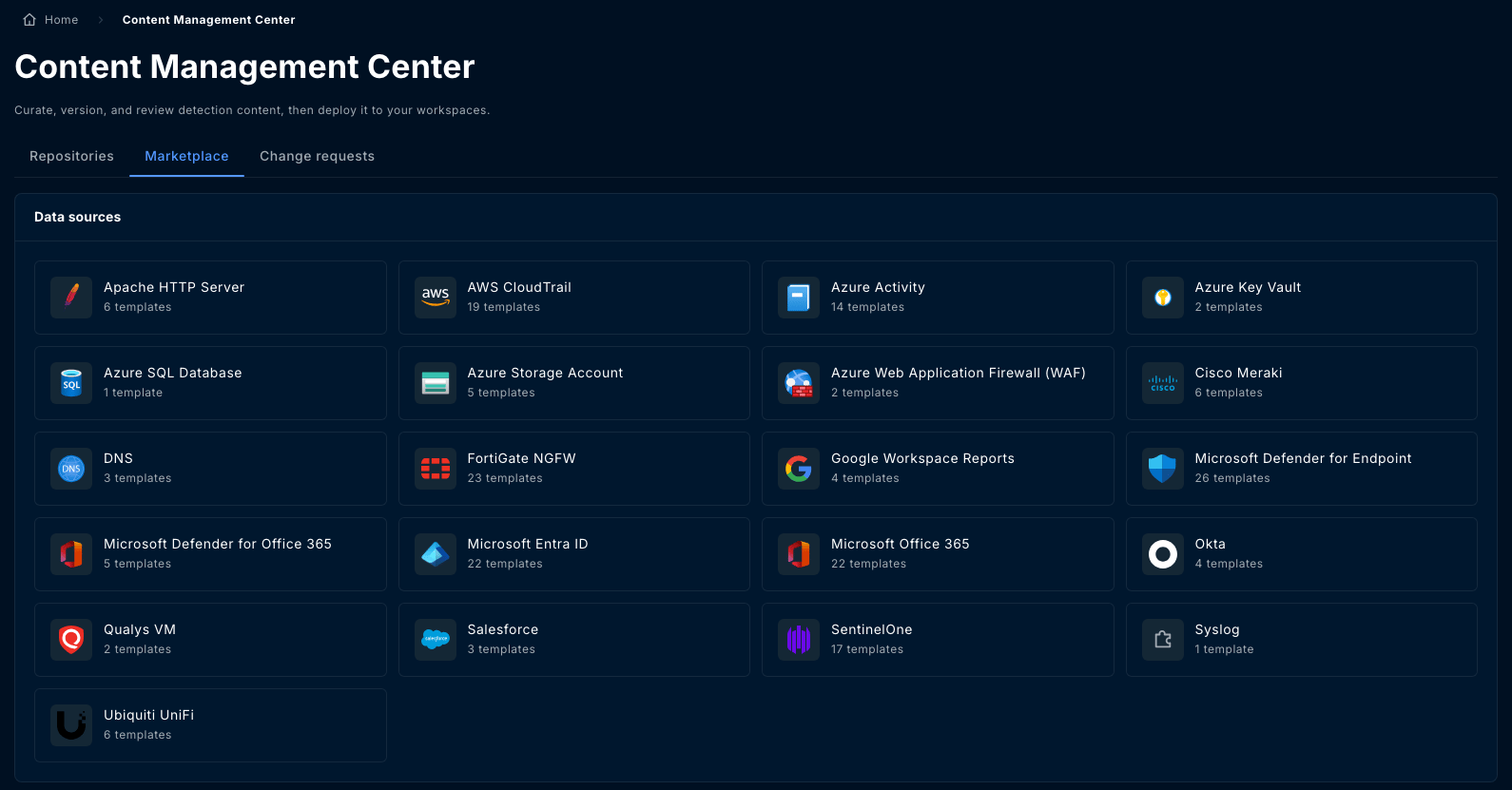
The catalog is organized **by data source** rather than by rule, because the question
driving it is usually "we just connected Azure Key Vault, what should we be detecting?"
Each data source shows how many templates it carries. Select one to see its templates.
 For each template you can see its **name**, **severity**, **MITRE ATT\&CK tactics**, and
**version**, and open a **preview** of the full rule content before taking it.
## Pulling a template into a repository
Read the query and the entity mappings. A template is a starting point, not something
to deploy unread.
Select the repository the rule should land in. You need the **Author** permission on it.
In an unprotected repository the rule is added immediately. In a protected one it
arrives as work in progress and needs a change request.
Once pulled, the rule is yours: it is an ordinary rule in your repository, and you can edit
it, version it, fork it, and deploy it like any other.
## Templates and versions
Templates are versioned, and the catalog lists the latest version of each. Pulling takes a
copy at that version.
A pulled rule does not stay linked to the template. A later template version does not flow
into repositories that already pulled it, and your edits are never overwritten by a catalog
update. To take a newer template version, pull it again and compare.
## Tuning before you deploy
Marketplace templates are written to be broadly correct, not tuned to any one environment.
Before deploying to a customer:
* Run the **test query** against the target workspace and confirm it returns what you expect
* Check the **severity** matches how the customer triages
* Check **entity mappings** resolve against their data
* Consider whether the rule belongs in a shared repository or as a
[fork](/guides/content-management-center/rules#forks) for this customer
A template that fires constantly in one tenant and never in another is normal. The
marketplace gives you the detection logic; the calibration is yours.
For each template you can see its **name**, **severity**, **MITRE ATT\&CK tactics**, and
**version**, and open a **preview** of the full rule content before taking it.
## Pulling a template into a repository
Read the query and the entity mappings. A template is a starting point, not something
to deploy unread.
Select the repository the rule should land in. You need the **Author** permission on it.
In an unprotected repository the rule is added immediately. In a protected one it
arrives as work in progress and needs a change request.
Once pulled, the rule is yours: it is an ordinary rule in your repository, and you can edit
it, version it, fork it, and deploy it like any other.
## Templates and versions
Templates are versioned, and the catalog lists the latest version of each. Pulling takes a
copy at that version.
A pulled rule does not stay linked to the template. A later template version does not flow
into repositories that already pulled it, and your edits are never overwritten by a catalog
update. To take a newer template version, pull it again and compare.
## Tuning before you deploy
Marketplace templates are written to be broadly correct, not tuned to any one environment.
Before deploying to a customer:
* Run the **test query** against the target workspace and confirm it returns what you expect
* Check the **severity** matches how the customer triages
* Check **entity mappings** resolve against their data
* Consider whether the rule belongs in a shared repository or as a
[fork](/guides/content-management-center/rules#forks) for this customer
A template that fires constantly in one tenant and never in another is normal. The
marketplace gives you the detection logic; the calibration is yours.