> ## Documentation Index
> Fetch the complete documentation index at: https://docs.contraforce.com/llms.txt
> Use this file to discover all available pages before exploring further.
# ContraForce Module Overview
> Users have the option to deploy two different modules when they onboard ContraForce to their environment. This article will cover what is included in each module.
## Overview
ContraForce has two modules that can be selected during the deployment process. There is the Defender module and then there is the XDR + SIEM module. Each module supports different products and can be selected based on the needs of the environment.
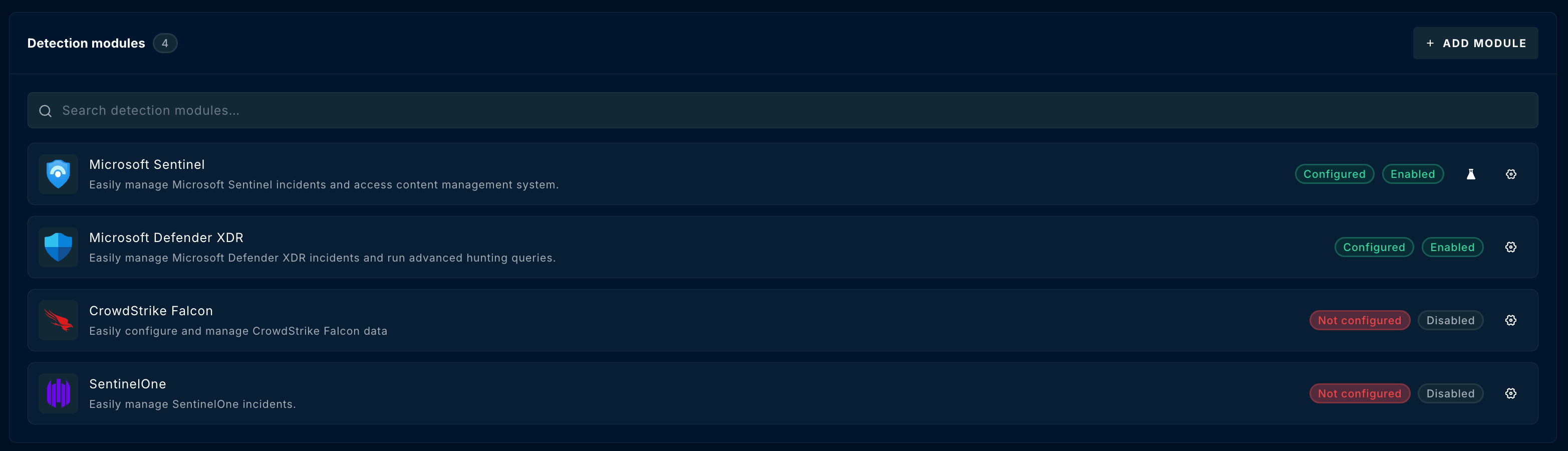
Detection sources are managed from the **Detection modules** section of a workspace. ContraForce's XDR detection modules include **Microsoft Defender XDR**, **CrowdStrike Falcon**, and **SentinelOne**; the XDR + SIEM module adds **Microsoft Sentinel**. Each module shows whether it is **Configured** and **Enabled**, and you can add modules with **Add Module**.
 ### ContraForce Defender Module
The ContraForce Defender module supports onboarding environment where Defender for Endpoint has been deployed. The onboarding guide for the Defender module can be found [here](/guides/onboarding/defender-for-endpoint-module-deployment). When the Defender module is deployed, the following ContraForce features are not available:
* SIEM Incidents
* Sentinel Advanced Threat Hunting
**Defender Module Notifications**
Email notifications will not be generated by ContraForce for new incidents in the Defender for Endpoint Module. Email notifications will be sent for Gamebook runs in ContraForce. Deployment of ContraForce will not interrupt the existing Defender notification configuration. More information about Contraforce notifications can be found [here](https://docs.contraforce.com/knowledge/contraforce-notifications).
## ContraForce XDR + SIEM Module
The ContraForce XDR + SIEM module expands on the Defender module as the XDR + SIEM includes the Defender module as well as support for Microsoft Sentinel and more.
The onboarding guide for Microsoft Sentinel can be found [here](https://docs.contraforce.com/knowledge/bring-your-sentinel-contraforce-deployment-overview).
Onboarding of a XDR + SIEM module unlocks the functionality of the XDR + SIEM Incidents and Sentinel Advanced Threat Hunting pages. Additionally, onboarding a XDR + SIEM module allows the user to customize notifications per workspace from the **Notifications** tab of the workspace settings.
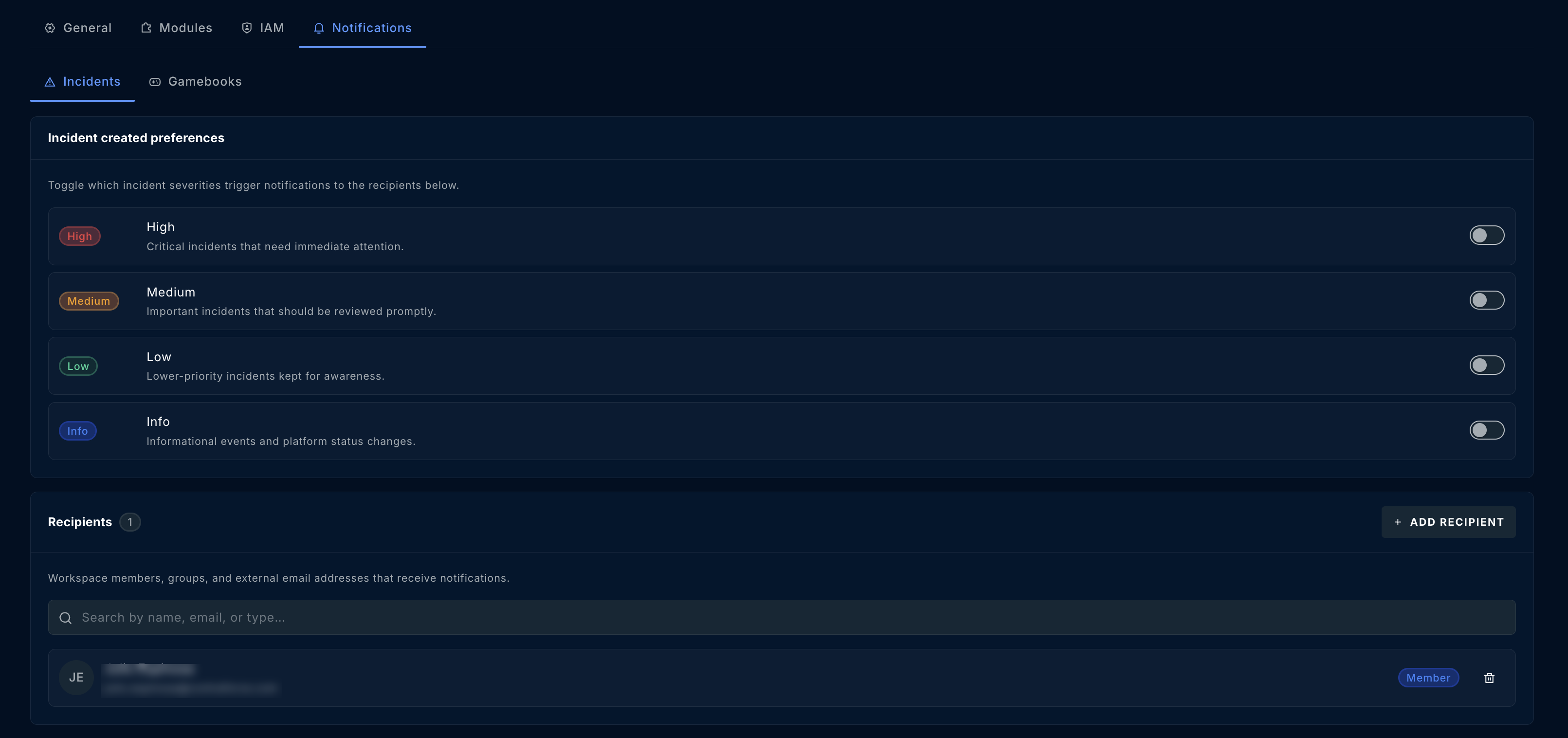
Incident notifications can be toggled by severity (High, Medium, Low, Info), with the recipients who receive them listed below.
### ContraForce Defender Module
The ContraForce Defender module supports onboarding environment where Defender for Endpoint has been deployed. The onboarding guide for the Defender module can be found [here](/guides/onboarding/defender-for-endpoint-module-deployment). When the Defender module is deployed, the following ContraForce features are not available:
* SIEM Incidents
* Sentinel Advanced Threat Hunting
**Defender Module Notifications**
Email notifications will not be generated by ContraForce for new incidents in the Defender for Endpoint Module. Email notifications will be sent for Gamebook runs in ContraForce. Deployment of ContraForce will not interrupt the existing Defender notification configuration. More information about Contraforce notifications can be found [here](https://docs.contraforce.com/knowledge/contraforce-notifications).
## ContraForce XDR + SIEM Module
The ContraForce XDR + SIEM module expands on the Defender module as the XDR + SIEM includes the Defender module as well as support for Microsoft Sentinel and more.
The onboarding guide for Microsoft Sentinel can be found [here](https://docs.contraforce.com/knowledge/bring-your-sentinel-contraforce-deployment-overview).
Onboarding of a XDR + SIEM module unlocks the functionality of the XDR + SIEM Incidents and Sentinel Advanced Threat Hunting pages. Additionally, onboarding a XDR + SIEM module allows the user to customize notifications per workspace from the **Notifications** tab of the workspace settings.
Incident notifications can be toggled by severity (High, Medium, Low, Info), with the recipients who receive them listed below.
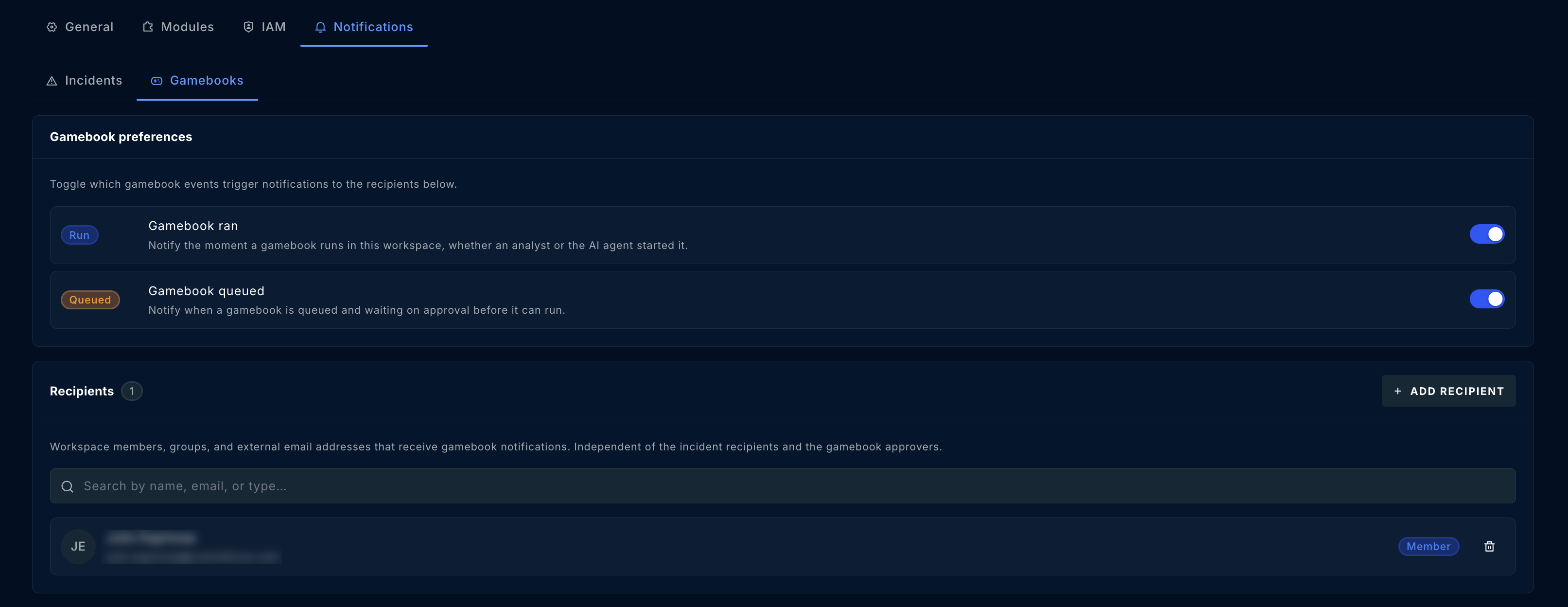
 Gamebook notifications can be toggled by event (Gamebook ran, Gamebook queued), with their own recipient list.
 If you have any questions about the modules deployed by ContraForce, please feel free to contact us at [support@contraforce.com](mailto:support@contraforce.com).