

The flow
1
Make a change
Import, author, edit, or reconcile a rule. In a protected repository the result lands
in Work in progress rather than changing the rule.
2
Group into a change request
From Work in progress, add one or more items to a new or existing change request.
Give it a title and description.
3
Submit for review
Submitting moves it from Draft to Open and makes it visible to approvers.
4
Review
Approvers read the diff, comment, then approve or request changes.
5
Merge
Once it has enough approvals, merging commits every item to the repository.
Work in progress
The Work in progress tab holds edits that have not yet been proposed. Each item records the rule, the kind of change (added, modified, or removed), and its current revision. An item is editable while it is work in progress: open it, keep refining, and it stays out of everyone’s way until you add it to a change request. Discard it if you change your mind and nothing about the baseline has changed. Items show as Unassigned until they belong to a change request. Select several and Add to change request to bundle them, which is the usual shape: one request carrying a set of related edits rather than one per rule.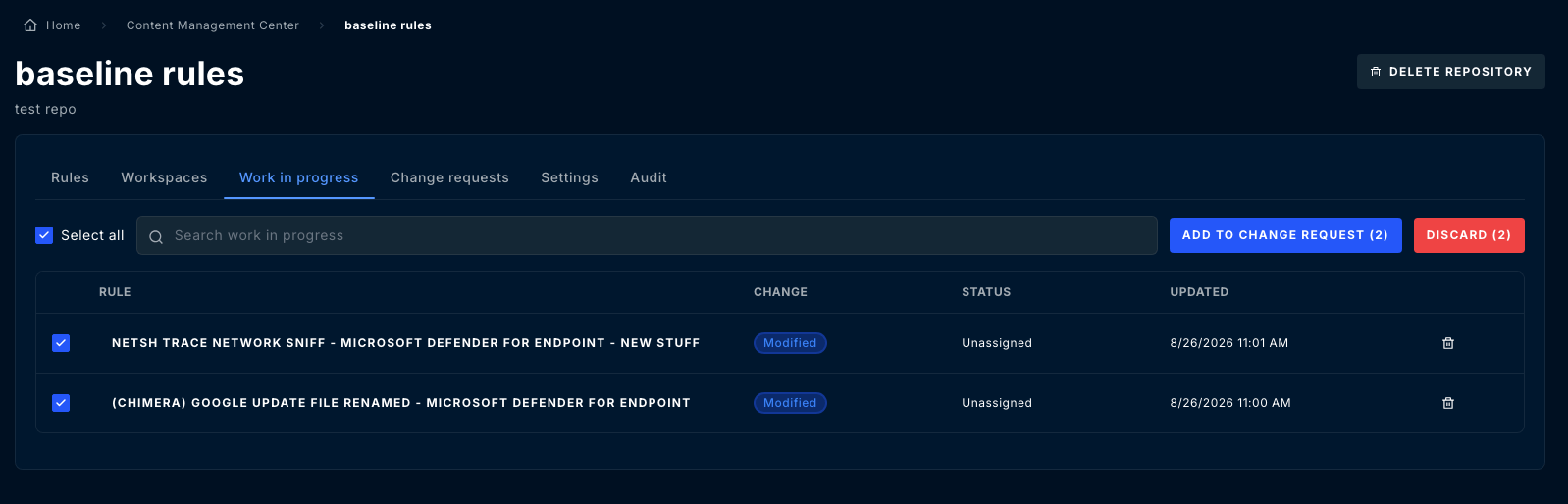
Change request states
Conflicted usually means another change request touching the same rule merged first.
Resolve it by revising the affected items against the current state of the rule.
Reviewing
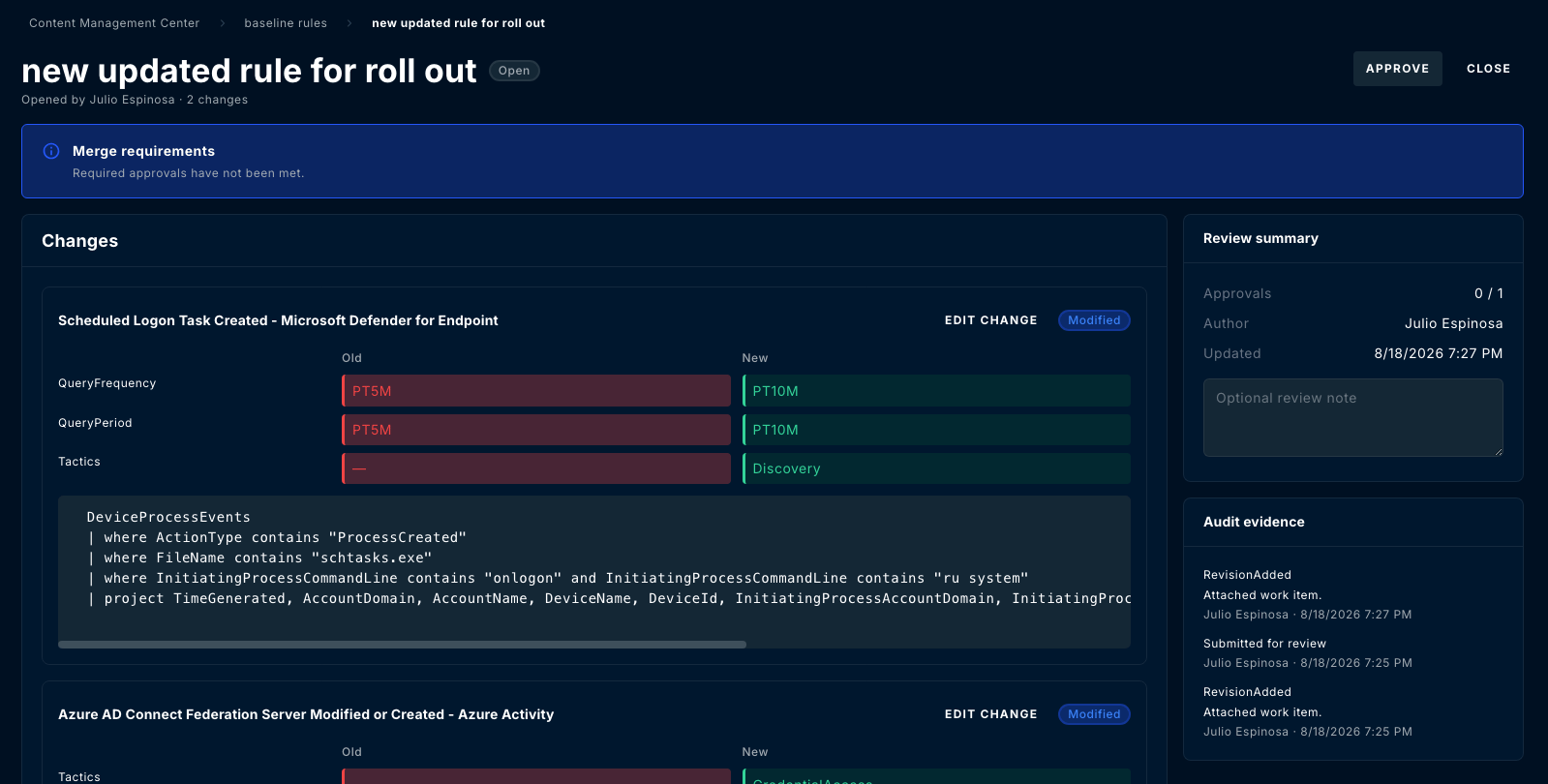
A change request shows:- Changes — a field-level diff for every item, old value beside new, plus the rule query
- Review summary — the approval count against the requirement, the author, and a box for an optional review note
- Audit evidence — the sequence of what happened: revisions added, work items attached, submissions for review, each stamped with who and when
- Conversation — comments, including comments anchored to a specific item or revision
Who can approve
Approvers are configured per repository under protection settings. Two constraints apply:- The change request needs at least the required approval count.
- The author may only approve their own request if allow author approval is enabled, which it is not by default.
External change references
A change request can carry an external CAB reference for organizations that track detection changes in a separate change-management system. Record the ticket identifier there and the two records stay tied together.Merging
Merging applies every item in the request to the repository, committing each as a new version of its rule. From that point the changes behave like any other committed content: they can be deployed, rolled back, and compared. Merging changes the repository, not your workspaces. Deploy afterwards to push the merged content out. See Deploy.Reviewing across repositories
The Content Management Center’s top-level Change requests tab lists open requests across every repository you can see, so reviewers do not have to visit each repository to find what is waiting on them.Related Guides
Repositories
Turn on baseline protection, set required approvals, and choose repository approvers.
Rules
Deploy merged rules to covered workspaces, review version history, and roll back.
Workspace coverage and drift
Scan workspaces for drift and reconcile rules changed outside ContraForce.
Questions? Contact us at support@contraforce.com.