

Ways to add a rule
Import
Bring in rules already running in a Sentinel or Defender workspace.
Marketplace
Pull a ContraForce-maintained template. See Marketplace.
Author
Write a new rule directly in the editor.
Import from a workspace
Importing adopts rules that already exist in a customer’s workspace, so they become managed content instead of untracked configuration.1
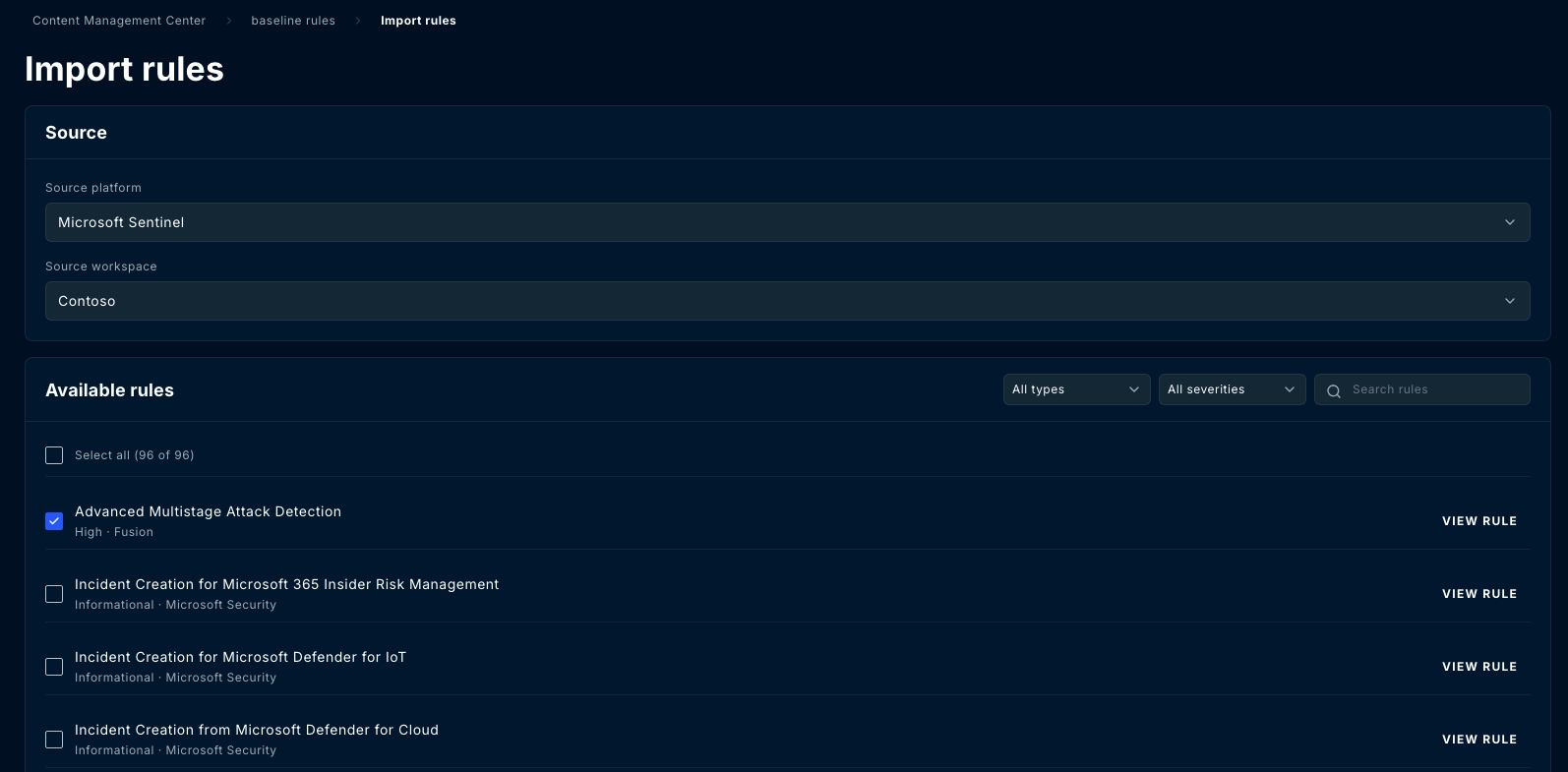
Open Import rules
From the repository’s Rules tab, select Import rules.
2
Choose the source
Pick a source platform
(Microsoft Sentinel or Microsoft Defender XDR)
and then the source workspace to read from. The importable list and the fields shown
differ by platform.
3
Select the rules
Filter by type and severity or search by name, then select what you want. Select all
takes everything matching the current filter, and the count tells you how many that is.
4
Import
In an unprotected repository the rules join the baseline immediately. In a protected one
they arrive as work in progress.
Importing copies the rule into the repository. It does not take over the live rule. Until
you deploy the repository’s copy back out, the workspace keeps running what it was already
running, and the two can drift apart.
Author a rule
The rule editor captures:- Name, description, and severity
- Platform, which determines validation and the deployment target
- The query, with a test-query action to run it before saving
- MITRE ATT&CK tactics and techniques
- Entity mappings, so detections resolve to accounts, hosts and other entities
- Tags, used for filtering and grouping
Versions and history
Every change to the baseline creates a new version. Open a rule and its detail view carries three tabs: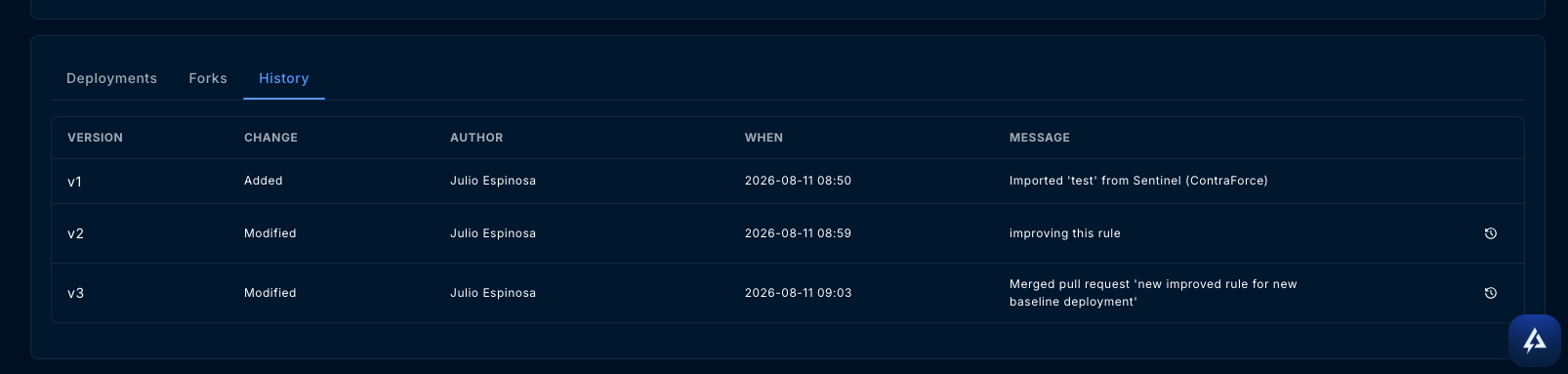
Forks
A fork is a deliberate divergence from a base rule, for when one customer needs a variant rather than a change everyone gets. A forked rule keeps a link to its base, and CMC can show the diff between a fork and its base so the divergence stays visible instead of becoming folklore. Reach for a fork when the difference is permanent and specific. If the change is an improvement everyone should get, change the base rule instead.Deploy
Deployment pushes a rule from the repository to one or more covered workspaces.1
Validate
CMC validates the rule against the target before writing. Validation failures are
reported per workspace, so one bad target does not hide the rest.
2
Deploy
Deploy a single rule, or use the repository’s deploy view to push a set.
3
Confirm
The rule’s Deployments list records each workspace it reached and when.
Rollback
Rollback redeploys an earlier version of a rule to the workspaces running it. Use it when a deployed change turns out to be wrong, rather than hand-editing the rule in the vendor console, which creates drift.Delete
A rule can be deleted from a repository individually or in bulk.Related Guides
Workspace coverage and drift
See which deployed rules are in sync, outdated, drifted, or not deployed.
Change requests
How work-in-progress edits are reviewed, approved, and merged in a protected repository.
Sentinel and Defender
How the rule’s platform decides validation, the query schema, and the deployment target.
Repositories
Create a repository, choose the workspaces it covers, and set baseline protection.
Questions? Contact us at support@contraforce.com.