

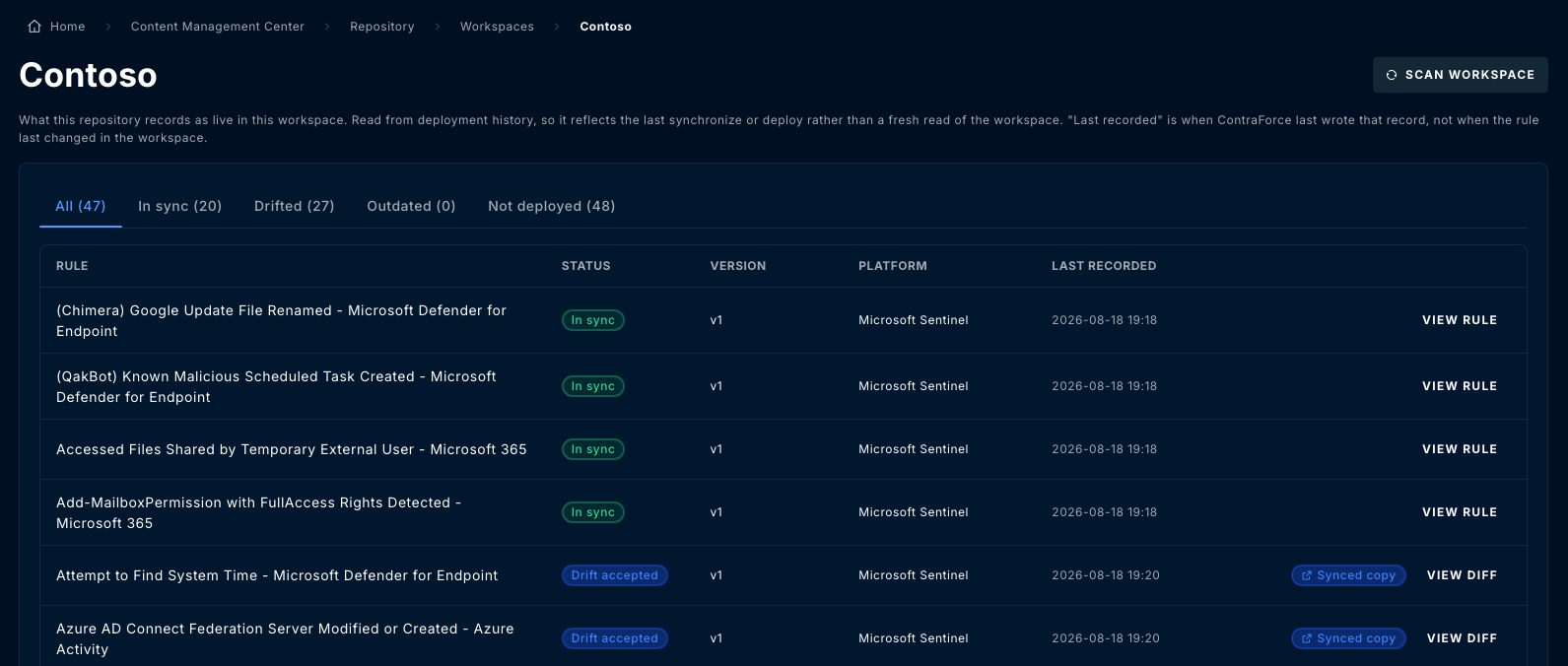
What the coverage view is reading
That distinction matters operationally. If someone edited a rule in the Azure portal an hour ago and nobody has scanned since, the coverage view will still show it in sync. Scan before you trust a clean board.Coverage states
Open a repository’s Workspaces tab and select a workspace. Rules are grouped into five views, each with a count:
The distinction that matters most is drifted versus outdated. Outdated is a gap you
close by deploying. Drifted means someone made a change you have not read yet, and
deploying over it destroys their work sight unseen.
Resolving drift
Select one or more drifted rules and choose an action. The same three actions are available in bulk from the toolbar and per row from the row menu.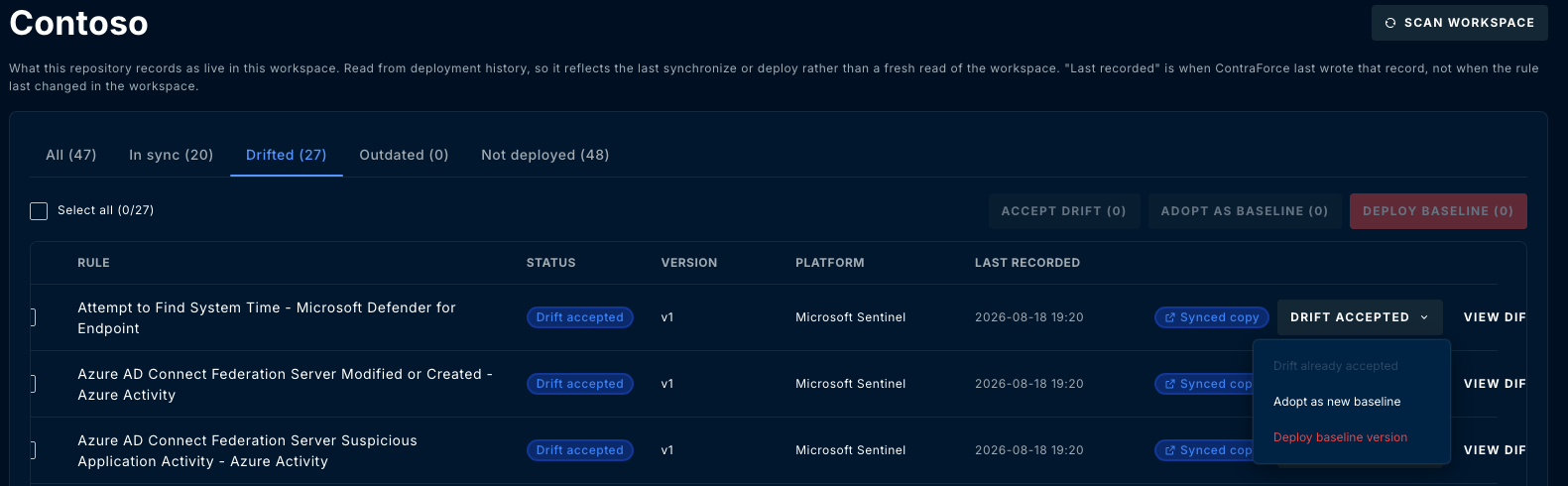
Accept drift silences a row, it does not make the two definitions match. The workspace
keeps running its own version. Accepting drift on a rule you actually wanted standardised
is how a fleet quietly diverges, so read the diff before reaching for it.
Protection applies here too
Reconciliation is a change to the baseline like any other. In a repository with baseline protection enabled, adopting a drifted rule does not silently rewrite the baseline: it becomes a work-in-progress item and goes through a change request.Scanning
Scan workspace reads the workspace and refreshes the record. Run one when you want current state rather than the last thing ContraForce wrote. Scanning is scoped to a repository’s covered workspaces. A workspace nobody added to a repository is never scanned, which is the usual reason drift appears to be missing: add the workspace to the repository first.A working rhythm
1
Scan before you judge
The board reflects the last recorded state. Scan the workspaces under active change so
you are reading current reality.
2
Clear outdated first
It is unambiguous: deploy the current baseline and the gap closes.
3
Read every drifted rule before acting
Open the diff. Someone made that change for a reason. Decide whether it becomes the new
baseline, gets accepted as a local difference, or gets overwritten.
4
Work through not deployed
Decide whether each rule belongs in this workspace, and deploy the ones that do.
Related Guides
Rules
Deploy rules to covered workspaces and roll back to an earlier version.
Change requests
Review and merge baseline changes, including adopted drift, in a protected repository.
Repositories
Add covered workspaces and configure baseline protection.
Questions? Contact us at support@contraforce.com.