

Who is this for? Workspace owners and content administrators who want evidence to help improve detection quality while preserving coverage of real threats.
Rule reviews are advisory. Starting a review does not edit, disable, approve, or deploy a rule. Validate recommendations and use your normal Content Management Center change and approval process before applying them.
Before you start
- You need Owner or Content Admin access to the workspace.
- For ContraForce-hosted agents (CFC), Content Management Center access is required. It is included in Scale and available through the CMC add-on on other tiers.
- For agents hosted in your own Azure subscription (BYOC), rule reviews are available without that CFC entitlement. Your agents must run a compatible version supporting rule reviews; this capability is available in agent release 3.1. Apply the recommended agent update in Agent Center before starting reviews.
- The workspace must have an available agent configured for rule reviews.
Start a rule review
1
Open a detection rule
Go to Workspaces, select the workspace, open Detection Rules, and select the rule you want to review.
2
Request the review
On Rule details, open Actions and select Agent rule review. The agent reviews the selected rule and produces a report when the run completes.
3
Open the result
Find the run under the agent’s Run History > Rule Reviews tab. Select its run number to open the report and check its status.
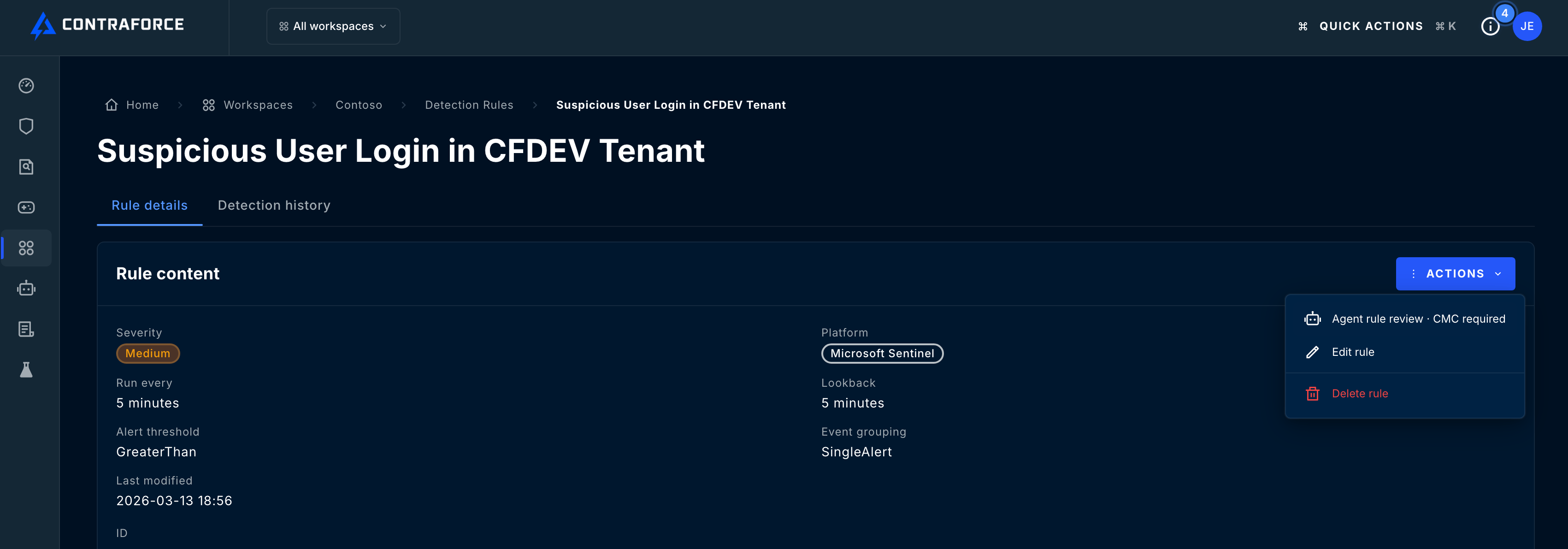
The rule Actions menu contains Agent rule review. This example shows CMC required because the account does not have Content Management Center access.
Read the report
The report header identifies the rule, workspace, source, run status, duration, and review window. Read the conclusion and summary first, then examine the findings and recommendations that support them.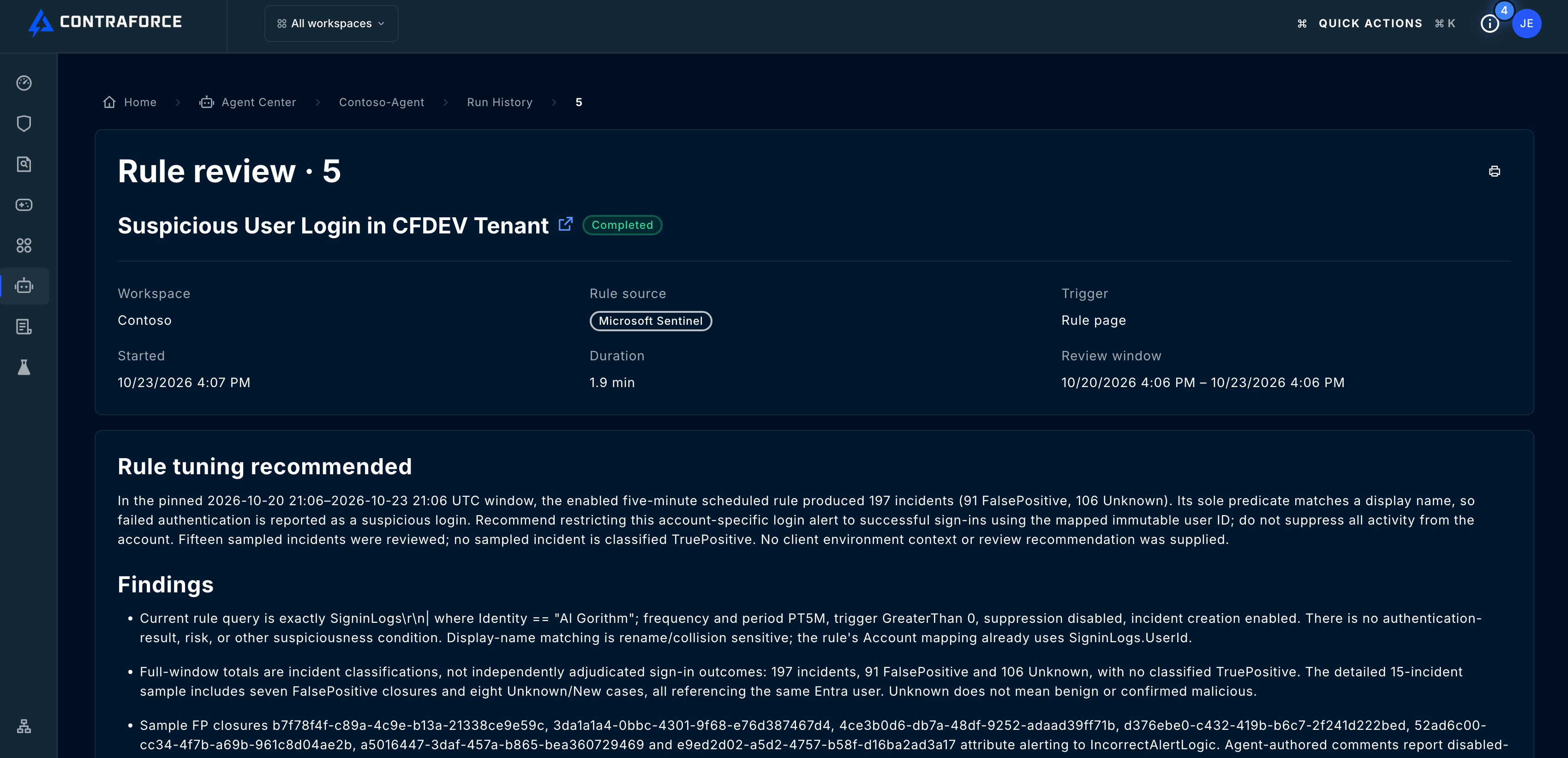
Insufficient evidence is a completed review outcome, not a technical failure. A Failed run means execution did not complete successfully.
Each recommendation explains its rationale, proposed action, potential detection-coverage risk, and validation plan. Check the limitations and follow-up items before deciding what to do. A suggested validation step is not proof that the agent performed that test.
Understand the evidence window
A review starts with the preceding three days and examines detailed evidence for up to 15 distinct incidents. When fewer than 15 are available, the lookback can expand to find more, up to 30 days. If there are still fewer than 15, the review uses the available incidents and records the limitation. When more incidents are available, the detailed sample spans time and available classifications, including true positives when present. Full-window totals and classification counts are separate from the detailed incident sample. Use the report’s coverage and limitations to understand what the agent actually reviewed; changing the history table’s date filter does not change an existing report’s evidence window.Compare query changes
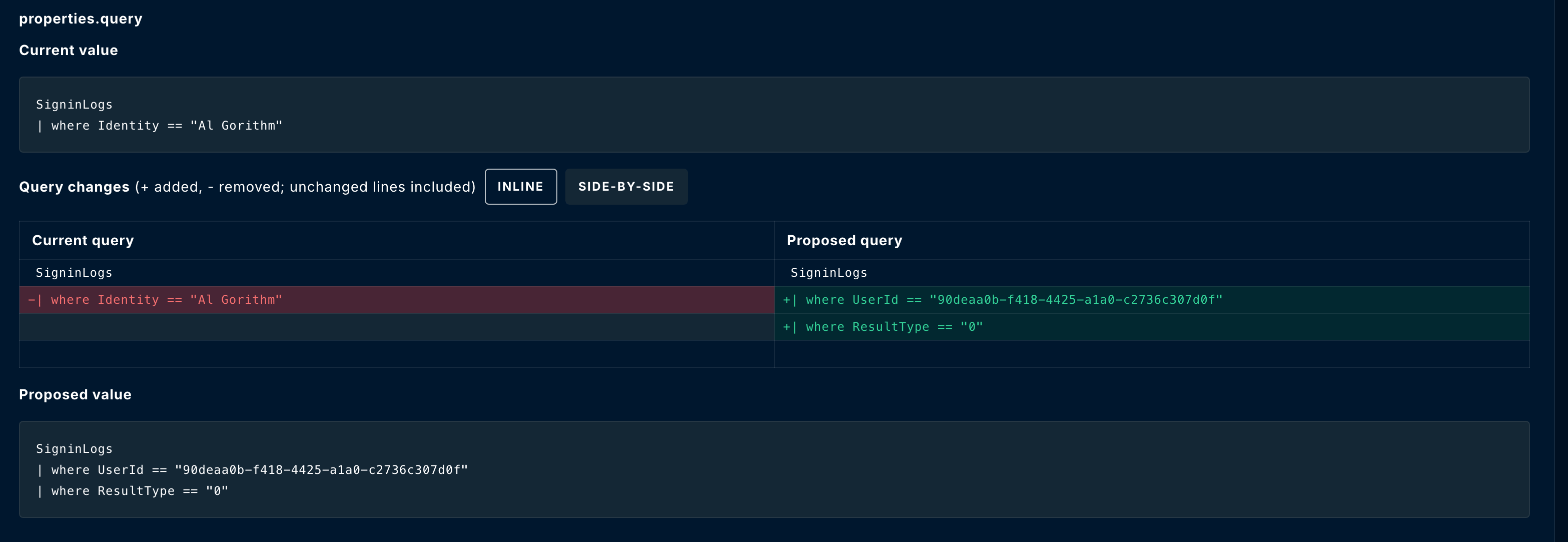
For a query recommendation, Current value shows the full query reviewed by the agent. Proposed value shows the complete suggested replacement. The Query changes comparison highlights additions with + and removals with −, while keeping unchanged lines for context. Use the controls beside the heading to switch between:- Inline: current and proposed changes appear in one sequence.
- Side-by-side: the current query appears on the left and the proposed query on the right.
Find previous rule reviews
Open Agents to access Agent Center, select your agent, and choose Run History > Rule Reviews. Use the date filter to find the run, then select its number to reopen the report.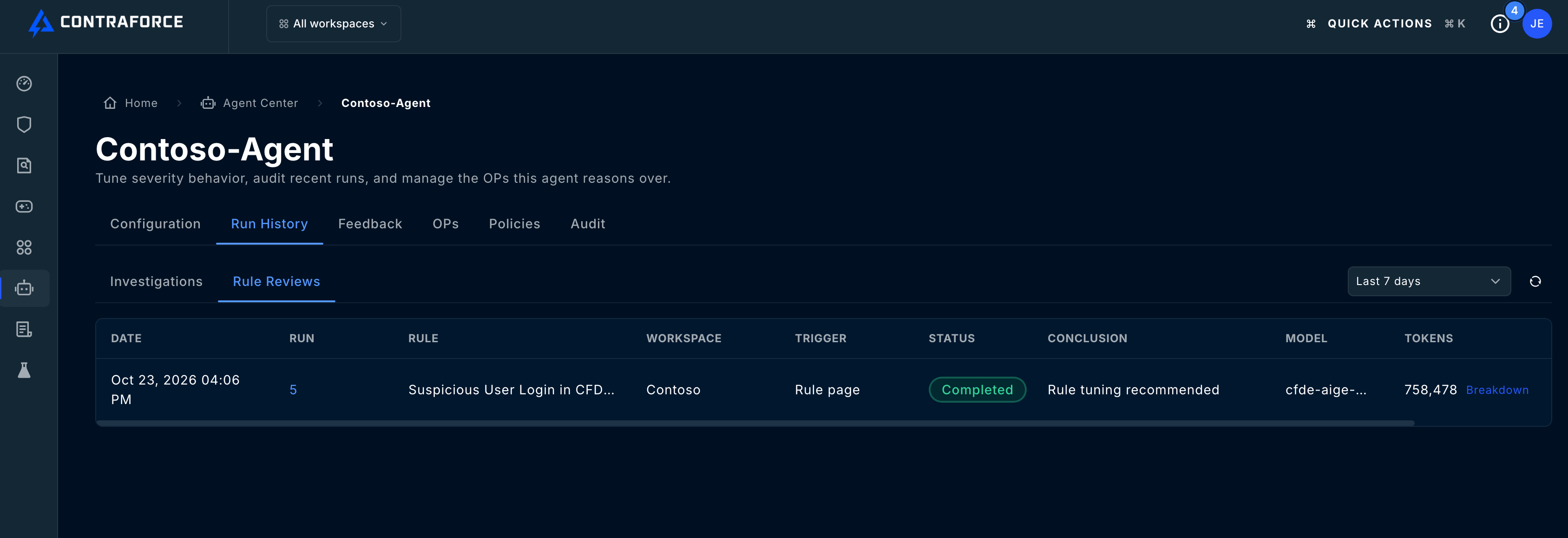
Related guides
Configure Security Delivery Agents
Set up the agents that support your workspaces.
Agent Execution History
Review incident investigation runs and troubleshoot execution failures.
Need help with a rule review? Contact support@contraforce.com with the workspace, rule, run number, and failure time if applicable.